Fri 6 Mar 2009
Categories : Pics / Images Shot
Comments here
Fri 6 Mar 2009

HRD Notice of a company to employees!

Dear STAFF,

Please be advised that these are NEW rules and regulations implemented to raise the efficiency of our firm.

***********

1) TRANSPORTATION:

It is advised that you come to work driving a car according to your salary.

A) If we see you driving a Honda, we assume you are doing well financially and therefore you do not need a raise.

B) If you drive a 10 year old car or taking public transportation, we assume you must have lots of savings therefore you do not need a raise.

C) If you drive a Pickup, you are right where you need to be and therefore you do not need a raise.

***********

2) ANNUAL LEAVE :

Each employee will receive 104 Annual Leave days a year ( Wow! Said 1 employee).

- They are called SATURDAYs AND SUNDAYs.


***********

3) LUNCH BREAK:

A) Skinny people get 30 minutes for lunch as they need to eat more so that they can look healthy.

B) Normal size people get 15 minutes for lunch to get a balanced meal to maintain their average figure.

C) Fat people get 5 minutes for lunch, because that's all the time needed to drink a Slim Fast and take a diet pill.


***********
4) SICK DAYS:

We will no longer accept a doctor Medical Cert as proof of sickness.

- If you are able to go to the doctor, you are able to come to work.


***********

5) SURGERY :

As long as you are an employee here, you need all your organs.

- You should not consider removing anything. We hired you intact.

- To have something removed constitutes a breach of employment.

***********

6) INTERNET USAGE :

All personal Internet usage will be recorded and charges will be deducted from your bonus (if any) and if we decide not to give you any, charges
Will be deducted from your salary.

- Important Note: Charges applicable as Rs.20 per minute as we have 10MB connection.

Just for information, 73% of staff will not be entitled to any salary for next 3 months as their Internet charges have exceeded their 3 months salary.

Thank you for your loyalty to our company. We are here to provide a positive employment experience.

Therefore, all questions, comments, concerns, complaints, frustrations, irritations, aggravations, insinuations, allegations, accusations, contemplation, consternation and input should be directed somewhere else.

Best Regards,
HRD

Comments here
Fri 6 Mar 2009

Pakistani boy Ali Moeen Nawazish who appeared in 23 A Level Subjects from Roots School System, Rawalpindi, Pakistan.

He has set a Guinness Book of World Record by being the only student ever in the world to appear in 23 A Levels and scored and 21 A's. This has been the lead story in all the leading UK newspapers.

Student Ali Nawaz-ish has passed 23 A levels in subjects including pure mathematics, travel and tourism, and sociology.

He got 21 A grades and a B and a C.

The 18-year-old, who is now studying Computer Science at Cambridge University, said that he used to be a 'below average' student.

Sources : 

news.bbc.co.uk/2/hi/7863473.stm

dailymail.co.uk/news/article-1132200/The-boy-set-getting-Cambridge-got-22-A-levels.html

Categories : Knowledge / Amazing
Comments here
Fri 6 Mar 2009


21st Century....

We are becoming lesser by the day

Our  communication - Wireless

Our  dress - Topless

Our  telephone - Cordless

Our  cooking - Fireless

Our  youth - Jobless

Our  food - Fatless

Our  labor - Effortless

Our  conduct - Worthless

Our  relation - Loveless

Our  attitude - Careless

Our  feelings - Heartless

Our  politics - Shameless

Our education - Valueless

Our follies -  Countless

Our  arguments - Baseless

Our Job - Thankless

Our Salary - Very Very less  

Our emails - useless

Categories : Thoughts / Lessons
Comments here
Fri 6 Feb 2009

Muhammad - Pakistan


Pakistan+Muhammad.jpg

Categories : Thoughts / Lessons
Comments (3)
Tue 27 Jan 2009

Experts are warning that hackers have yet to activate the payload of the Conficker virus.
Clock ticking on worm attack code.jpg

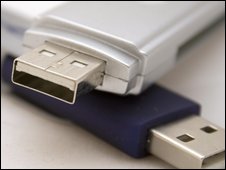
The worm is spreading through low security networks, memory sticks, and PCs without current security updates.

The malicious program - also known as Downadup or Kido - was first discovered in October 2008.

Although the spread of the worm appears to be levelling off, there are fears someone could easily take control of any and all of the 9.5m infected PCs.

Speaking to the BBC, F-Secure's chief research officer, Mikko Hypponen, said there was still a real risk to users.

"Total infections appear to be peaking. That said, a full count is hard, because we also don't know how many machines are being cleaned. But we estimate there are still more than 9m infected PCs world wide.

"It is scary thinking about how much control they [a hacker] could have over all these computers. They would have access to millions of machines with full administrator rights.

"But they haven't done that yet, maybe they're scared. That's good news. But there is also the scenario that someone else figures out how to activate this worm. That is a worrying prospect."

Experts say users should have up-to-date anti-virus software and install Microsoft's MS08-067 patch. The patch is known as KB958644.

 start_quote_rb.gif Even having the Windows patch won't keep you safeend_quote_rb.gif
Graham Cluley
Sophos

Speaking to the BBC, Graham Cluley, senior technology consultant with anti-virus firm Sophos, said the outbreak was of a scale they had not seen for some time.

"Microsoft did a good job of updating people's home computers, but the virus continues to infect business who have ignored the patch update.

"A shortage of IT staff during the holiday break didn't help and rolling out a patch over a large number of computers isn't easy.

"What's more, if your users are using weak passwords - 12345, QWERTY, etc - then the virus can crack them in short order," he added.

"But as the virus can be spread with USB memory sticks, even having the Windows patch won't keep you safe. You need anti-virus software for that."

Method

According to Microsoft, the worm works by searching for a Windows executable file called "services.exe" and then becomes part of that code.

It then copies itself into the Windows system folder as a random file of a type known as a "dll". It gives itself a 5-8 character name, such as piftoc.dll, and then modifies the Registry, which lists key Windows settings, to run the infected dll file as a service.

Once the worm is up and running, it creates an HTTP server, resets a machine's System Restore point (making it far harder to recover the infected system) and then downloads files from the hacker's web site.

Most malware uses one of a handful of sites to download files from, making them fairly easy to locate, target, and shut down.

But Conficker does things differently.

start_quote_rb.gif  Right now, we're seeing hundreds of thousands of [infected] unique IP addresses end_quote_rb.gif
Toni Koivunen, F-Secure

Anti-virus firm F-Secure says that the worm uses a complicated algorithm to generate hundreds of different domain names every day, such as mphtfrxs.net, imctaef.cc, and hcweu.org. Only one of these will actually be the site used to download the hackers' files. On the face of it, tracing this one site is almost impossible.

Variant

Speaking to the BBC, Kaspersky Lab's security analyst Eddy Willems said that a new strain of the worm was complicating matters.

"There was a new variant released less than two weeks ago and that's the one causing most of the problems," said Mr Willems

"The replication methods are quite good. It's using multiple mechanisms, including USB sticks, so if someone got an infection from one company and then takes his USB stick to another firm, it could infect that network too. It also downloads lots of content and creating new variants though this mechanism.

"Of course, the real problem is that people haven't patched their software," he added.

Microsoft says that the malware has infected computers in many different parts of the world, with machines in China, Brazil, Russia, and India having the highest number of victims.

Source:news.bbc.co.uk/2/hi/technology/7832652.stm


Comments here
Tue 27 Jan 2009

Today I was required to implement detecting the idle time or user inactivity in windows form. Here it is how it works
The theme behind is the usage of MessageFiler that will be intercepting calls (Keyboard / Mouse activities) and usage of System.Windows.Forms.Timer

Step 1.

Create MessageFilter class as

using System;
using System.Windows.Forms;

 public class MessageFilter : IMessageFilter
    {
       //Following are the Windows API hex values. You can find more at http://faisal.azmza.com/post/2009/01/Values-of-Windows-API.aspx
       // Here we are only interested in only Keyboard and Mouse activities
        private int WM_LBUTTONDOWN = 0x0201;
        private int WM_KEYDOWN = 0x0100;
        private int WM_RBUTTONDOWN = 0x0204;
        private int WM_MBUTTONDOWN = 0x0207;
        private int WM_MOUSEWHEEL = 0x020A;
        private int WM_MOUSEMOVE = 0x0200;

        public bool PreFilterMessage(ref Message m)
        {
            if (m.Msg == WM_MOUSEMOVE || m.Msg == WM_KEYDOWN || m.Msg == WM_LBUTTONDOWN || m.Msg == WM_MOUSEWHEEL || m.Msg == WM_RBUTTONDOWN || m.Msg == WM_MBUTTONDOWN)
            {
                //Reset the timer of form1
                Form1.timerIdle.Stop();
                Form1.timerIdle.Start();
            }
            return false;
        }
    }

Step 2:

In the form where you actually want to implement what to do if user is inactive for particular period, like redirecting to Login page, performing Session / objects cleanup, hiding or locking touchy form etc etc, put following peace of code,

a) Declare static timer as

//Reason for taking this timer as static becasue we need to reset timer in MessageFilter class.
//If don't want to use static then you can implement your own logic. The theme is to reset the timer in MessageFilter on any Keyboard or Mouse activity

internal static Timer timerIdle;

b) Put following initializing code after InitializeComponent or on Form_Load. Note to set Interval of timer to your requirement. Here it is set for 5 minutes.

            timerIdle = new System.Windows.Forms.Timer();
            timerIdle.Enabled = true;
            timerIdle.Interval = 50000; // Idle time period. Here after 5 minutes perform task in  timerIdle_Tick
            timerIdle.Tick += new EventHandler(timerIdle_Tick);

 c) Put following inside your form

        private void timerIdle_Tick(object sender, EventArgs e)
        {
            //Here perform your action by first validating that idle task is not already running.
           // If you want to redirect user to login page, then first check weather login page is already displayed or not
           // if not then show loign page. Same logic for other task or Implement your own.
           // Remember after every five minutes or period you defined above this timerIdle_Tick will be called
           //so first check weather idle task is already running or not. If not then perform
            //if (Login.Visible == false)
            //{
                   //PerformNecessoryActions();
                  //ShowLoginForm();
            //}
        }


Step 3.

So far we have created MessageFilter class (On keyboard or mouse activity it will reset the timer of form). In form we have declared and initialize timer. On timer_Tick event we have implement the task which we need to do when user become inactive for particular period of time. Now in last step, Add our MessageFilter class in Application to intercept calls as

static void Main(string[] args)
{
            Application.AddMessageFilter(new MessageFilter());
            Application.Run(new Form1());
}


Hope it helps.


Comments (1)