Tue 5 Nov 2019

Think zillions of times before you sell your phone or give your phone to any repair shop or even to any elite trustable customer service. They can get your data recover even after you have done factory reset and delete your data.

Secrets

Our smartphones are privy to some of our most important secrets. Sensitive business emails, financial details, contact information, and perhaps even very personal photos (first what are such stuff doing on your phone) are not things you want falling into the wrong hands.

Remember

Performing a factory reset nothing more than just a good idea. It certainly not enough that data has been removed.

Remember your data including your personal photos, Google searches, emails, text messages, and contact details can be recovered even after you factory reset, as your data is still not overwritten.

What to do

Follow below four steps to wipe your Android phone, to make sure data is properly gone. (Similar steps can be followed for iPhone)

Step 1: Encrypt your data

The first step is to encrypt your data (If it is not already encrypted or using old Android versions). This option is available built into Android (may not enabled by default). Encryption requires you to enter a PIN or password every time you turn your phone on.

  • Fully charge your phone or keep it plugged into the charger while this process is running, because it can take several hours depending on how much data you have.

    Note: The exact method may be differ slightly from phone to phone, however it will generally be like below

  • Go to Settings > Security > Encrypt phone.

  • Or Go to Settings > Security & location > Advanced > Encryption & credentials and select “Encrypt Phone”

  • Or on Samsung Galaxy, Go to Settings > Lock screen & security > Protect encrypted data

Step 2: Factory Reset

Make sure you have already setup your new phone or that you have anything you want to keep backed up before you do this because it will wipe everything. Once phone has reset, there’s no going easy back. The steps are similar for most Android devices, but some manufacturers like to be different.

  • Go to Settings > Select System > Advanced > Reset options > Select “Reset phone.”

    Note: If you have a PIN or some other security setup, you’ll be asked to enter it. You’ll get another screen asking if you’re sure this is what you want to do. Are you sure? Then hit the “Erase everything” button.

  • Or On a Samsung Galaxy, Go to Settings > General Management > Reset > Factory data reset and then tap Reset device.

  • Or On a Huawei phone, go to Settings > System > Reset > Factory data reset and then tap Reset Phone.

  • Or On a Google Pixel, it’s Settings > System > Advanced > Reset options > Erase all data (factory reset) and then tap Reset phone.

Step 3: Overwriting with junk data

Now final step is to be absolutely certain, by overwriting the encrypted data with junk data and then perform another last factory reset as done in step 2.

  • Simply load a bunch of dummy data onto your phone until the storage is full. A few large movies videos should do the trick.

  • Or Open your camera and keep recording video for hours long (like record open sky or charming birds or beautiful garden) till storage full.

  • Or you can also get an app to do it for you. Install any of these or similar app from Play Store, such as Secure Erase with iShredder 6 or Shreddit.  

Note: Do not use your personal Gmail / Google account, instead create new dummy temporary google account to download these app to overwrite storage, as by using or connecting your actual google account you may accidentally restore data back again on device from Google drive.


Step 4: Final Factory Reset

Once above three steps completed and the data is overwritten by these app or video camera recording or you fill up storage with movies, perform another last factory reset as done in step 2. That’s how you completely wipe your Android phone.


Note: Never sell your SD Cards and Hard Drives, break into pieces and throw it away in garbage, even if they are not working or dead.

Comments here
Sat 5 Dec 2009

Following are the orders that comes to the conduct of War.

1. Do not commit treachery
2. Do not deviate from the right path
3. Do not mutilate dead bodies
4. Do not kill children
5. Do not kill women
6. Do not kill aged men
7. Do not harm or burn trees
8. Do not destroy buildings
9. Do not destroy an enemy’s flock, unless you use it for your food
10. When you pass people who have devoted their lives to monastic services leave them alone

Above orders given by Muhammad (peace be upon him) which must be obeyed by every Muslim against every Non Muslim.

There is nowhere in Islam, whether it be in the Quraan or the teachings of Muhammad, that promotes the killing of innocent people. A real muslim is one that is real against terrorism.


Comments here
Wed 17 Jun 2009

How to secure your Chappal (Shoes)... Here you go...

Categories : Pics / Images Shot
Comments here
Sun 17 May 2009
Tags: ,
Categories : Pics / Images Shot
Comments (1)
Fri 10 Apr 2009

Being a facebook developer, i think following information will be helpful for users.

Security related to Applications

Privacy is always an important factor in personal life and behaving.

If any female or male doesn't want to share his or her photos or albums or some personal information on facebook with unknown personals through the applications they add/allow weather for any reason or in fun, which are vulnerable to misbehavers, then don't forget to set its applicaion privacy setting at following locations :-  Click on

1) Settings (from top facebook menu -> Privacy Setting -> Applications -> Overview
 
Here read the short important overview. It will not take your important minutes.


2) Settings (from top facebook menu -> Privacy Setting -> Applications -> Settings 

Here set your required settings. Do you want to share your photos and other personal information with the application, who's owner and developers are unknown and stranger to u, are you sure? No, so set your settings by removing check marks and save.


Be choosy in adding/allowing Applications - Be Safe


facebook privacy application setting 1.jpg


facebook privacy application setting 2.JPG


facebook privacy application setting 3.JPG


facebook privacy application setting 4.JPG


facebook privacy application setting 5.JPG


Are you sure you want to share your photos and personal information to persons who you dont know and to strangers?, If no then set your privacy settings now!


For Facebook photo and album privacy setting, click following link
http://faisal.azmza.com/post/Facebook-Privacy-Setting.aspx


Comments here
Tue 27 Jan 2009

Experts are warning that hackers have yet to activate the payload of the Conficker virus.
Clock ticking on worm attack code.jpg

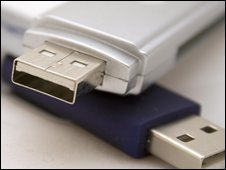
The worm is spreading through low security networks, memory sticks, and PCs without current security updates.

The malicious program - also known as Downadup or Kido - was first discovered in October 2008.

Although the spread of the worm appears to be levelling off, there are fears someone could easily take control of any and all of the 9.5m infected PCs.

Speaking to the BBC, F-Secure's chief research officer, Mikko Hypponen, said there was still a real risk to users.

"Total infections appear to be peaking. That said, a full count is hard, because we also don't know how many machines are being cleaned. But we estimate there are still more than 9m infected PCs world wide.

"It is scary thinking about how much control they [a hacker] could have over all these computers. They would have access to millions of machines with full administrator rights.

"But they haven't done that yet, maybe they're scared. That's good news. But there is also the scenario that someone else figures out how to activate this worm. That is a worrying prospect."

Experts say users should have up-to-date anti-virus software and install Microsoft's MS08-067 patch. The patch is known as KB958644.

 start_quote_rb.gif Even having the Windows patch won't keep you safeend_quote_rb.gif
Graham Cluley
Sophos

Speaking to the BBC, Graham Cluley, senior technology consultant with anti-virus firm Sophos, said the outbreak was of a scale they had not seen for some time.

"Microsoft did a good job of updating people's home computers, but the virus continues to infect business who have ignored the patch update.

"A shortage of IT staff during the holiday break didn't help and rolling out a patch over a large number of computers isn't easy.

"What's more, if your users are using weak passwords - 12345, QWERTY, etc - then the virus can crack them in short order," he added.

"But as the virus can be spread with USB memory sticks, even having the Windows patch won't keep you safe. You need anti-virus software for that."

Method

According to Microsoft, the worm works by searching for a Windows executable file called "services.exe" and then becomes part of that code.

It then copies itself into the Windows system folder as a random file of a type known as a "dll". It gives itself a 5-8 character name, such as piftoc.dll, and then modifies the Registry, which lists key Windows settings, to run the infected dll file as a service.

Once the worm is up and running, it creates an HTTP server, resets a machine's System Restore point (making it far harder to recover the infected system) and then downloads files from the hacker's web site.

Most malware uses one of a handful of sites to download files from, making them fairly easy to locate, target, and shut down.

But Conficker does things differently.

start_quote_rb.gif  Right now, we're seeing hundreds of thousands of [infected] unique IP addresses end_quote_rb.gif
Toni Koivunen, F-Secure

Anti-virus firm F-Secure says that the worm uses a complicated algorithm to generate hundreds of different domain names every day, such as mphtfrxs.net, imctaef.cc, and hcweu.org. Only one of these will actually be the site used to download the hackers' files. On the face of it, tracing this one site is almost impossible.

Variant

Speaking to the BBC, Kaspersky Lab's security analyst Eddy Willems said that a new strain of the worm was complicating matters.

"There was a new variant released less than two weeks ago and that's the one causing most of the problems," said Mr Willems

"The replication methods are quite good. It's using multiple mechanisms, including USB sticks, so if someone got an infection from one company and then takes his USB stick to another firm, it could infect that network too. It also downloads lots of content and creating new variants though this mechanism.

"Of course, the real problem is that people haven't patched their software," he added.

Microsoft says that the malware has infected computers in many different parts of the world, with machines in China, Brazil, Russia, and India having the highest number of victims.

Source:news.bbc.co.uk/2/hi/technology/7832652.stm


Comments here
Thu 1 Jan 2009

 Microsoft Application Architecture Guide 2.0‏.  Nice stuff for those who are interested in Application architecture at http://www.codeplex.com/AppArchGuide

Summary :

Parts

Part I, Fundamentals
Part II, Design
Part III, Layers
Part IV, Archetypes

Forewords

*   Foreword by S. Somasegar

*   Foreword by Scott Guthrie

Chapters

*   Introduction

*   Architecture and Design Solutions At a Glance

*   Fast Track

Part I, Fundamentals

*   Chapter 1 - Fundamentals of Application Architecture

*   Chapter 2 - .NET Platform Overview

*   Chapter 3 - Architecture and Design Guidelines

Part II, Design

*   Chapter 4 - Designing Your Architecture

*   Chapter 5 - Deployment Patterns

*   Chapter 6 - Architectural Styles

*   Chapter 7 - Quality Attributes

*   Chapter 8 - Communication Guidelines

Part III, Layers

*   Chapter 9 - Layers and Tiers

*   Chapter 10 - Presentation Layer Guidelines

*   Chapter 11 - Business Layer Guidelines

*   Chapter 12 - Data Access Layer Guidelines

*   Chapter 13 - Service Layer Guidelines

Part IV, Archetypes

*   Chapter 14 - Application Archetypes

*   Chapter 15 - Web Applications

*   Chapter 16 - Rich Internet Applications (RIA)

*   Chapter 17 - Rich Client Applications

*   Chapter 18 - Services

*   Chapter 19 - Mobile Applications

*   Chapter 20 - Office Business Applications (OBA)

*   Chapter 21 - SharePoint Line-Of-Business (LOB) Applications

Appendix

*   Cheat Sheet - patterns & practices Pattern Catalog

*   Cheat Sheet - Presentation Technology Matrix

*   Cheat Sheet - Data Access Technology Matrix

*   Cheat Sheet - Workflow Technology Matrix

*   Cheat Sheet - Integration Technology Matrix

Errata Page

*   Errata Page

Team

*   Core Dev Team: J.D. Meier , Alex Homer, David Hill, Jason Taylor , Prashant Bansode , Lonnie Wall, Rob Boucher Jr, Akshay Bogawat

*   Test Team - Rohit Sharma, Praveen Rangarajan, Kashinath TR, Vijaya Jankiraman

*   Edit Team - Dennis Rea.

*   External Contributors/Reviewers - Adwait Ullal; Andy Eunson; Brian Sletten; Christian Weyer; David Guimbellot; David Ing; David Weller; Derek Greer; Eduardo Jezierski; Evan Hoff; Gajapathi Kannan; Jeremy D. Miller; John Kordyback; Keith Pleas; Kent Corley; Mark Baker; Paul Ballard; Peter Oehlert; Norman Headlam; Ryan Plant; Sam Gentile; Sidney G Pinney; Ted Neward; Udi Dahan

*   Microsoft Contributors / Reviewers - Ade Miller; Amit Chopra; Anna Liu; Anoop Gupta; Bob Brumfield; Brad Abrams; Brian Cawelti; Bhushan Nene; Burley Kawasaki; Carl Perry; Chris Keyser; Chris Tavares; Clint Edmonson; Dan Reagan; David Hill; Denny Dayton; Diego Dagum; Dmitri Martynov; Dmitri Ossipov; Don Smith; Dragos Manolescu; Elisa Flasko; Eric Fleck; Erwin van der Valk; Faisal Mohamood; Francis Cheung; Gary Lewis; Glenn Block; Gregory Leake; Ian Ellison-Taylor; Ilia Fortunov; J.R. Arredondo; John deVadoss; Joseph Hofstader; Koby Avital; Loke Uei Tan; Luke Nyswonger; Manish Prabhu; Meghan Perez; Mehran Nikoo; Michael Puleio; Mike Francis; Mike Walker; Mubarak Elamin; Nick Malik; Nobuyuki Akama; Ofer Ashkenazi; Pablo Castro; Pat Helland; Phil Haack; Reed Robison; Rob Tiffany; Ryno Rijnsburger; Scott Hanselman; Seema Ramchandani; Serena Yeoh; Simon Calvert; Srinath Vasireddy; Tom Hollander; Wojtek Kozaczynski


To download go to following link.

http://www.codeplex.com/AppArchGuide


Comments here